Case Study / VYSK Communications / 2016
VYSK Encrypted Voice App.
UX architecture and product design for encrypted mobile communication, balancing security, privacy, and usability for non-technical users in high-privacy contexts.
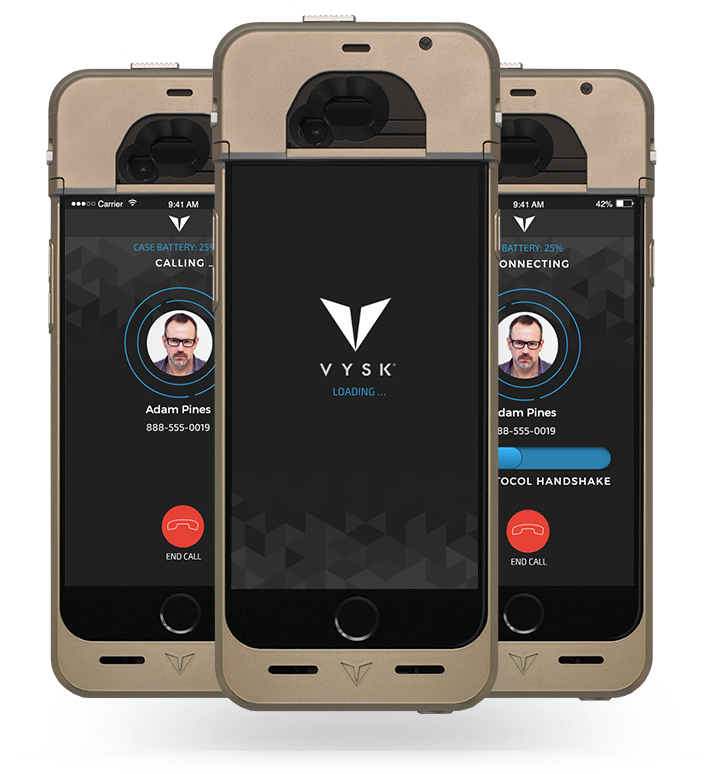
VYSK Communications created end-to-end encrypted VoIP mobile communication solutions through mechanical, hardware, iOS, and software innovation.
As UX Architect, I worked across encryption security, mechanical engineering, firmware, and application development to design a mobile product that reduced setup friction without weakening privacy or security expectations.
The product served executives, security-sensitive organizations, and international users who needed private communication but could not be expected to understand the underlying encryption model.
- User Inquiries
- Requirements Gathering
- Wireframing
- Prototyping
- UI Design
- User Validation
- VQA
01 · Onboarding
Self-serve onboarding and activation.
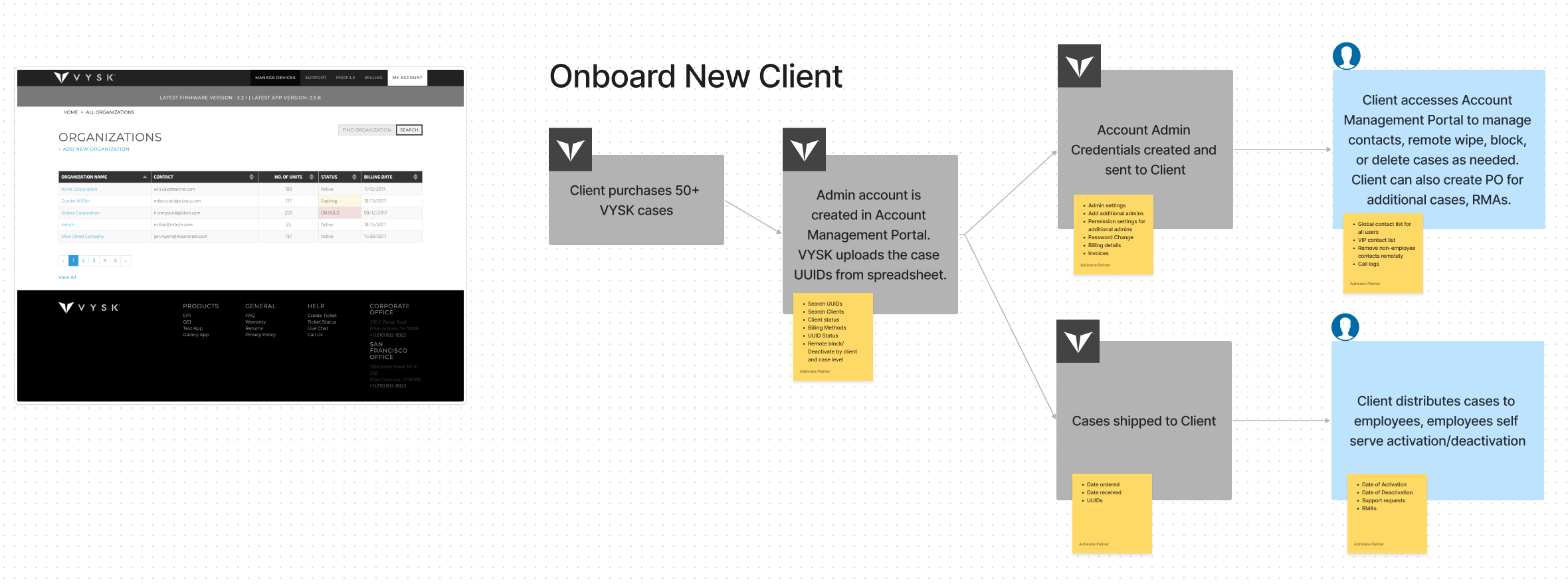
Pairing encrypted hardware with a mobile app created complexity around account creation, device activation and deactivation, billing models, and administrative setup. Before the redesign, onboarding required manual effort from clients, end users, and internal administrators.
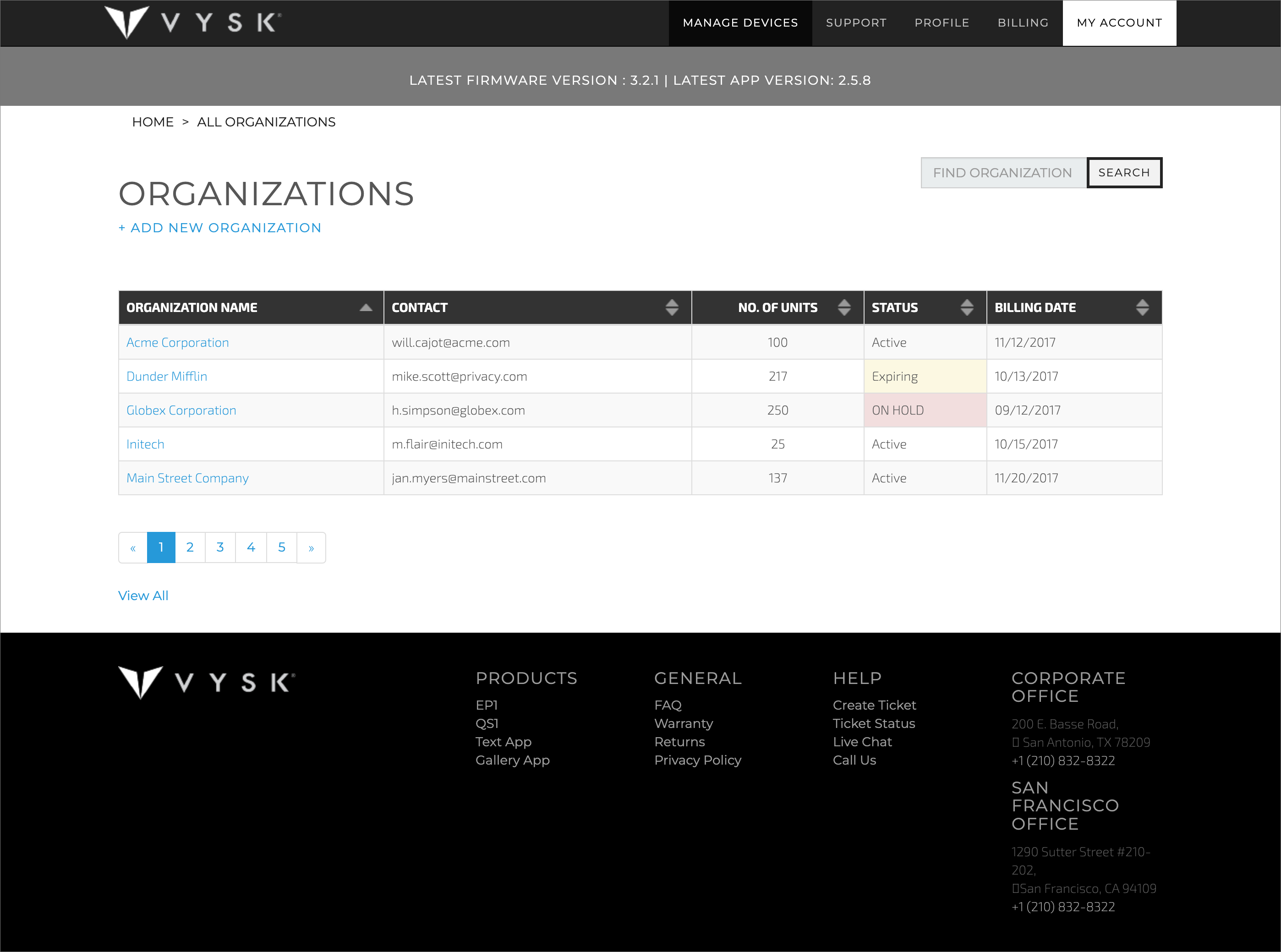
We created a self-serve portal that allowed clients to activate cases, add devices in bulk, administer users and features, and reduce the number of internal support touchpoints required to get a secure device into use.
- Self-serve client administration
- Bulk case activation
- Remote wipe and blocking support
- Reduced administrator touchpoints
02 · Calling
Secure calling flow iteration.
Changes to account setup and activation still had to account for devices already in the field. The calling experience needed to introduce new functionality without disrupting existing users or grandfathered hardware.
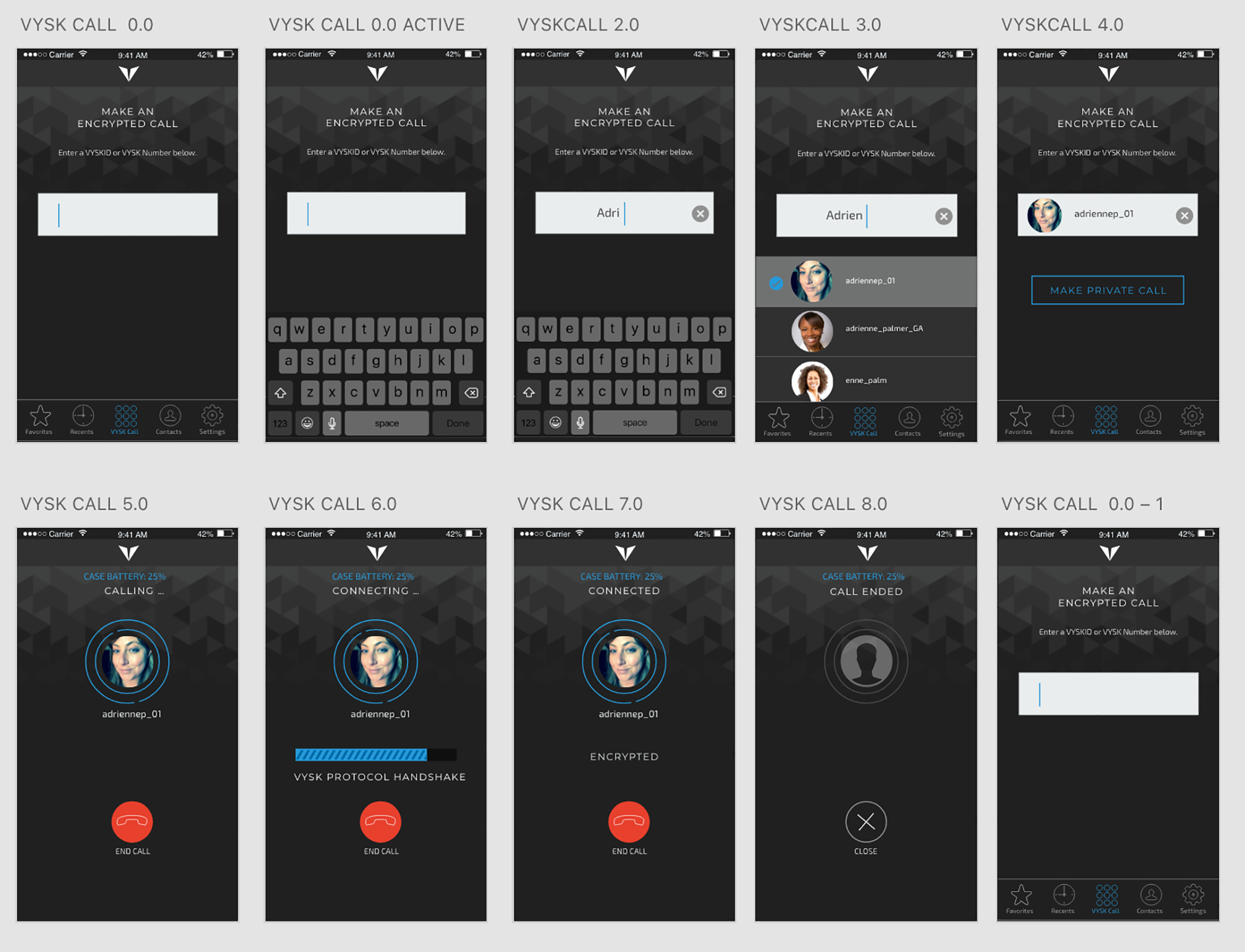
The dialer evolved into VYSK Call. Predictive entry replaced the traditional number pad, while protocol-handshake feedback remained visible so users could understand the secure-call state without needing technical knowledge.
Insight 01
Improve without stranding existing users.
The release supported both contact-to-contact calling and number dialing for GEN 1/MVP devices.
Insight 02
Keep security feedback visible.
Handshake feedback remained part of the flow so users understood the secure-call state.
03 · Privacy
Timezone, contact, and account features.
User conversations revealed a specific tension: people wanted strong security and privacy without sacrificing everyday convenience. Many users traveled frequently or worked across regions, making missed calls and availability windows a real product problem.
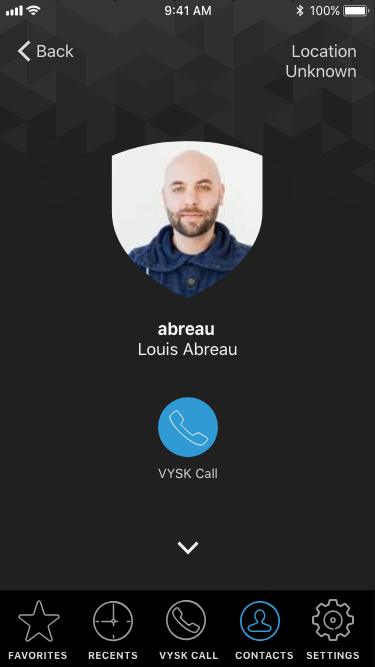
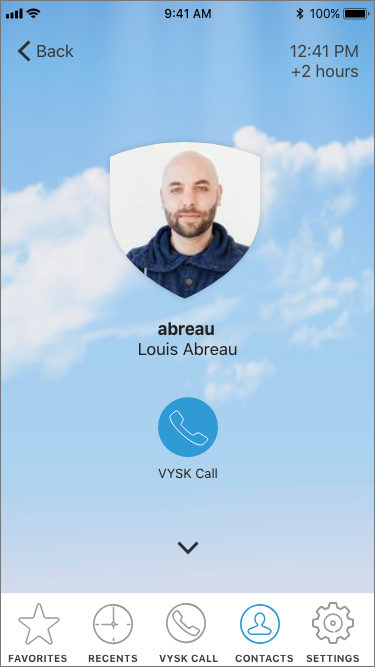
I created opt-in day and night screens to display timezone differences without disclosing exact locations. Users could disable timezone broadcasting at any time while still seeing useful availability context for contacts.
- Opt-in timezone sharing
- Day/night availability cues
- Contact invite-and-accept protocol
- Self-managed account profiles
04 · Prototype
Interaction captures.
Interaction captures show the secure calling flow and contact detail experience in motion.
Outcomes
What changed.
and activation
timezone feature
regulated contexts
experience